Blueprint · Canvas Studio · Demo

From prompt to playable coloring-book canvas in one tab

Canvas Studio takes a coloring-book canvas from an idea to a live, game-ready asset in one browser tab. It covers generation, review, approval, assembly, and publishing. Before, this took six or seven hand-offs across Photoshop, AI image tools, shared drives, SVN, and the CMS.

108locations tracked
516assets generated
82.1average AI style score
1 clickto SVN + CMS + Unity build
Presented by Deven Saxena · Art Sync · July 2026 · figures at the time of recording

Watch the demo

Click any chapter to jump to that part of the walkthrough.

  • The legacy workflow
  • Canvas Studio overview
  • New location & source image
  • Line art
  • Cryptomatte & watercolor
  • Review, approval & Slack
  • Canvas Assembly
  • View modes & game composite
  • Paint colors & spawner tools
  • Publish to SVN, CMS & Unity
  • Verifying the build in CMS

The pipeline flow

There are three stages, and each one ends in a deliberate lock, so downstream work is never built on art that might still change.

GenerateNew LocationInterior / exterior · AI suggest
GenerateSource ImageCustom-trained Firefly models
GenerateLine ArtHouse style · 1K/2K/4K
GenerateColorsCryptomatte + watercolor
GateReview & ApproveSlack notify · locks set
AssembleCanvas AssemblyAI regions, colors, spawners
PublishShipSVN · CMS · Unity build

Before vs. now

Before (legacy)Now (Canvas Studio)
Where the work happensPhotoshop, external AI generators, Drive, scripts, SVN, CMSOne web app
Hand-offs6–7 manual stages3 guided stages + one-click publish
Region names & colorsBy hand in PhotoshopAI-suggested, then confirmed by the artist
Spawner placementManual icon placementAutomatic; only about 1–5% need a touch-up
ReviewScreenshots & messagesIn-context comments, @-mentions, Slack
ShippingExport → SVN → CMS build by handPublish does all three and reports build status

What a canvas is made of

The player sees a line drawing, taps paint-brush icons (spawners) on each region, and picks colors to bring the scene to life. Three images make that possible.
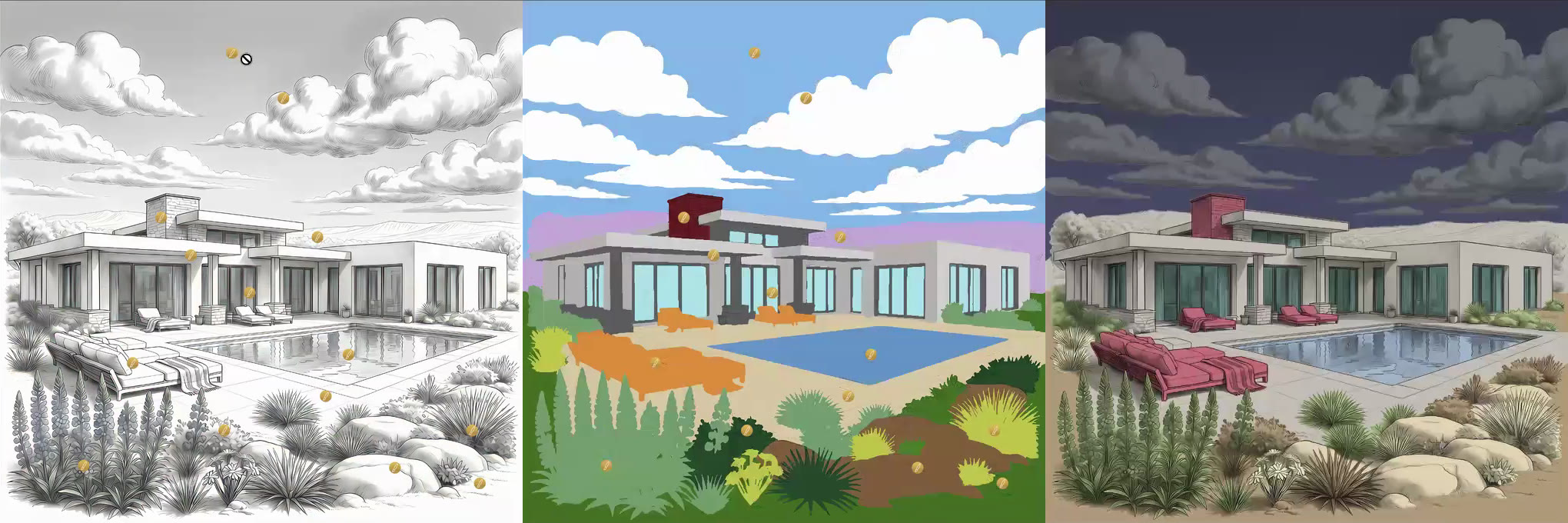
Line art, cryptomatte, watercolor
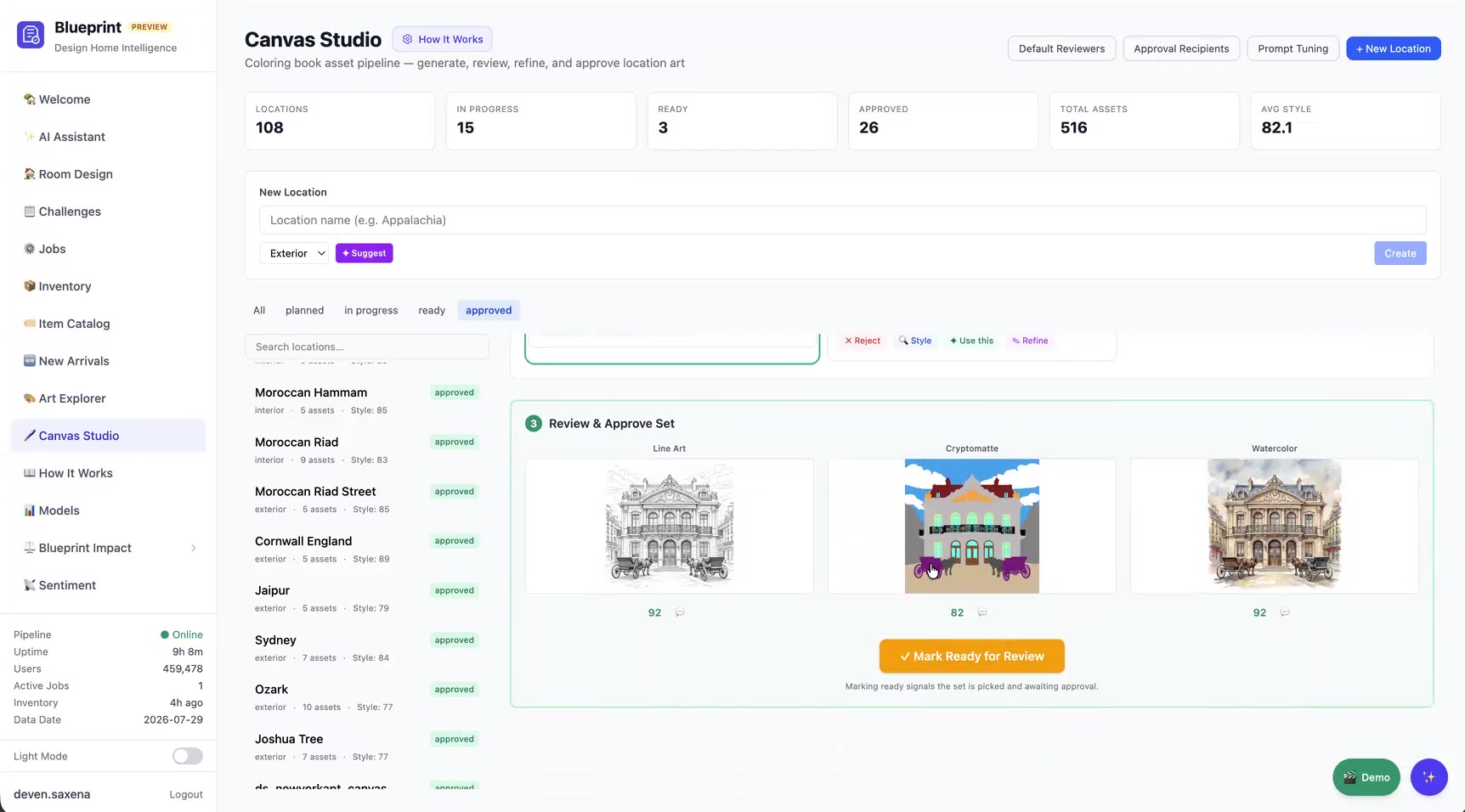
Left to right: line art (what the player colors) · cryptomatte (the selection map) · watercolor (the color reference)
The cryptomatte is the core idea. It's a flat-color selection map where every object gets its own solid color, which tells the game exactly which pixels belong to "sky", "roof", or "horse" so it can mask and fill them.

Before Canvas Studio, an artist built all of this by hand in Photoshop with our custom DH Tools panel. The artist layered generated images into a template, cut masks, placed spawner icons, ran export scripts, and uploaded the results by hand.
Stage 1

Generate

Create and pick the three source images. Every pick is reviewed in place and locked before moving on.

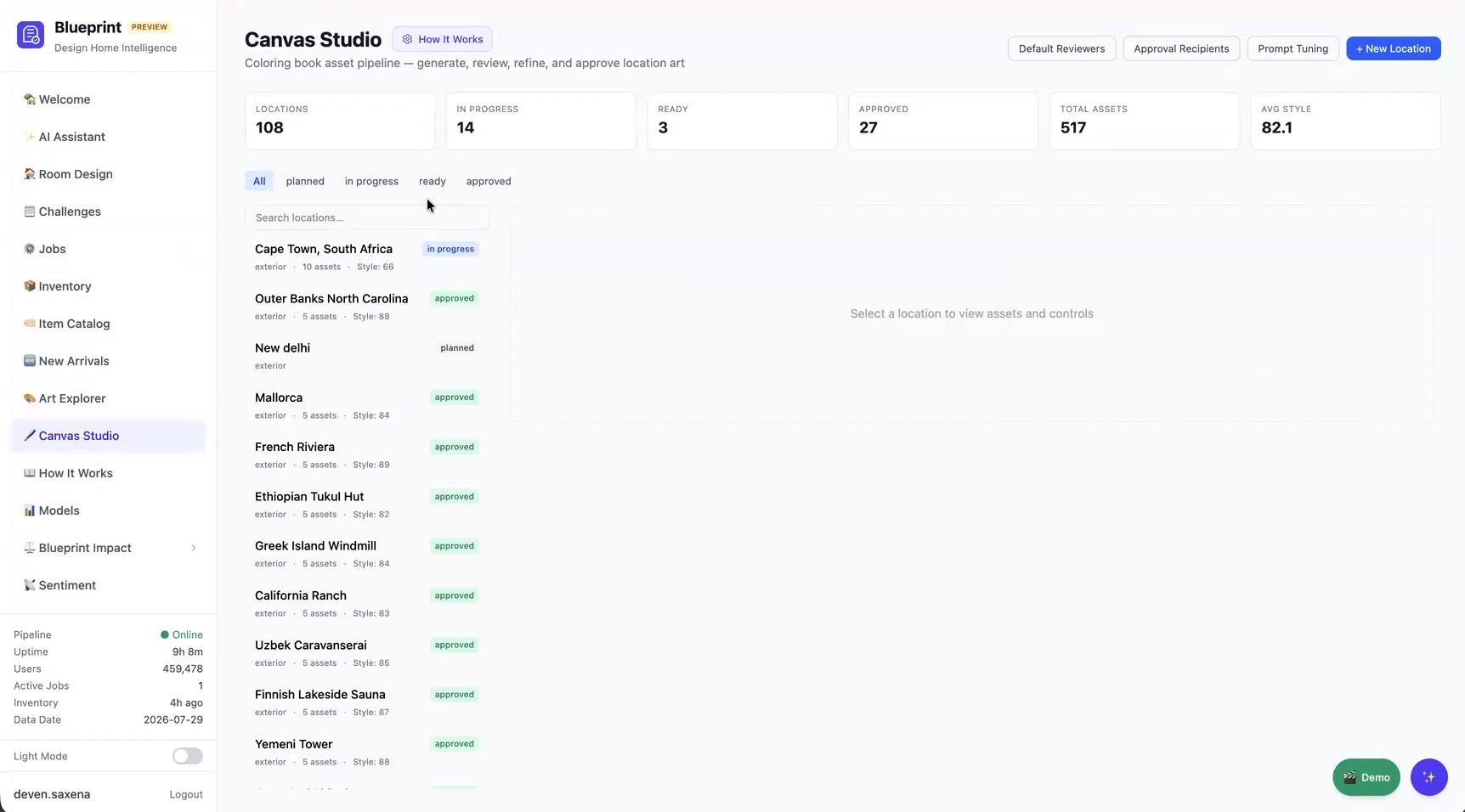
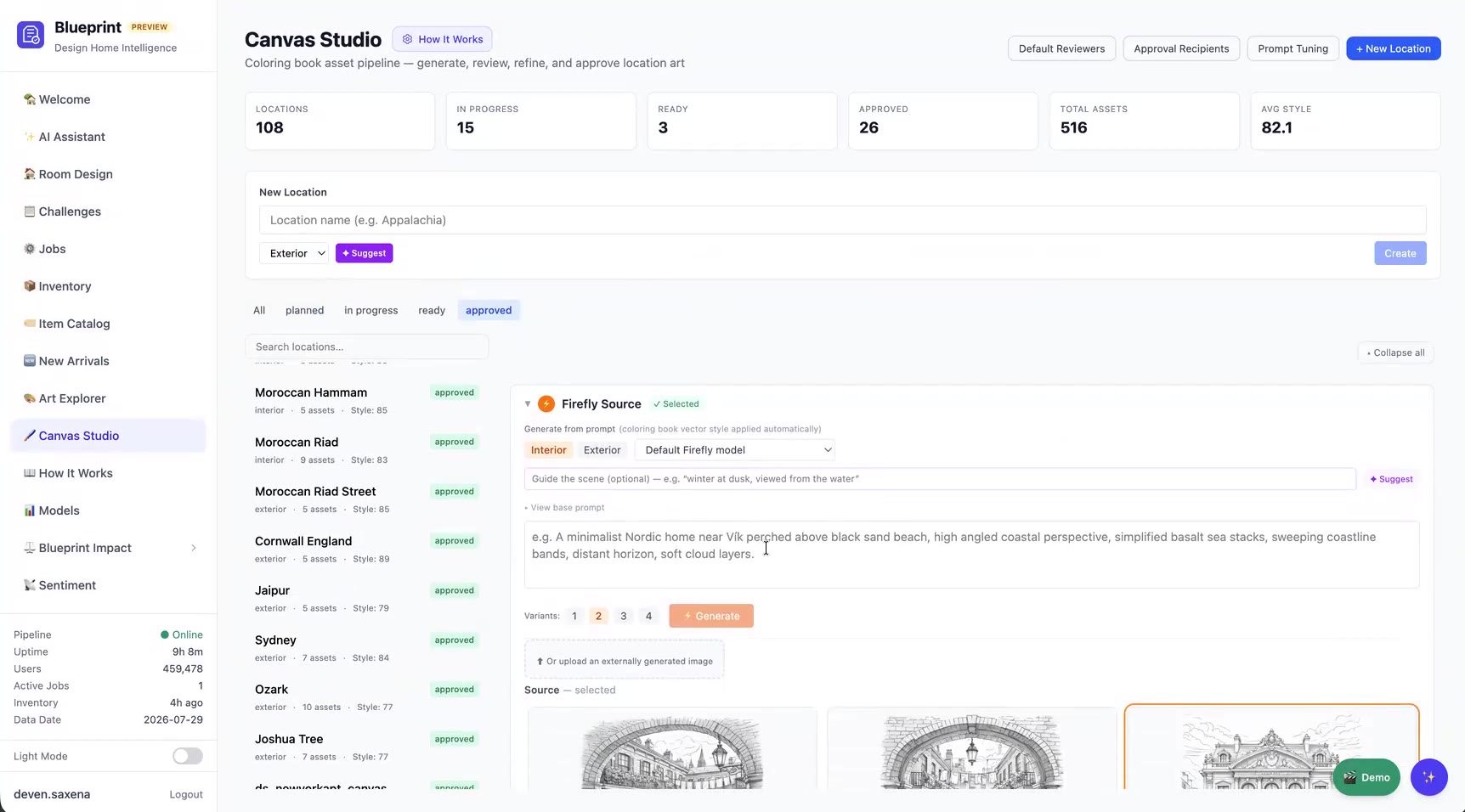
Canvas Studio dashboard
The Canvas Studio dashboard tracks every location from planned to approved.

1a · New location & source image

Source generation
Source image generation
  • Choose Interior or Exterior. ✨ Suggest proposes a location from our history of past canvases.
  • Images come from our own custom-trained Adobe Firefly models, with separate interior and exterior models, so results match the Design Home style.
  • Add an optional scene guide (for example "winter at dusk, viewed from the water") and pick a variant count.
  • You can upload images made in outside tools instead.
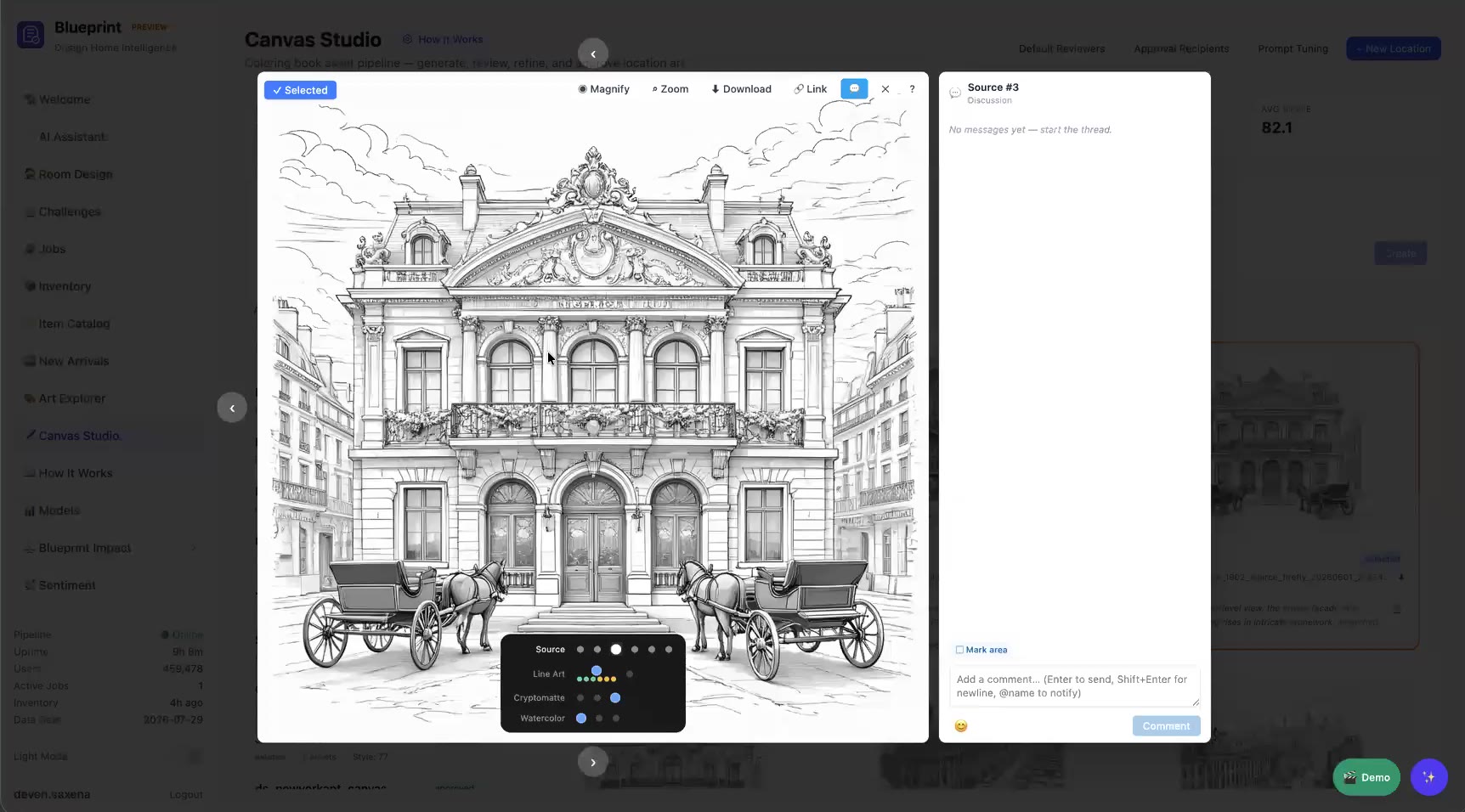
Review lightbox
Review lightbox with zoom, magnify, and a threaded discussion with @-mentions. Use this locks the pick.

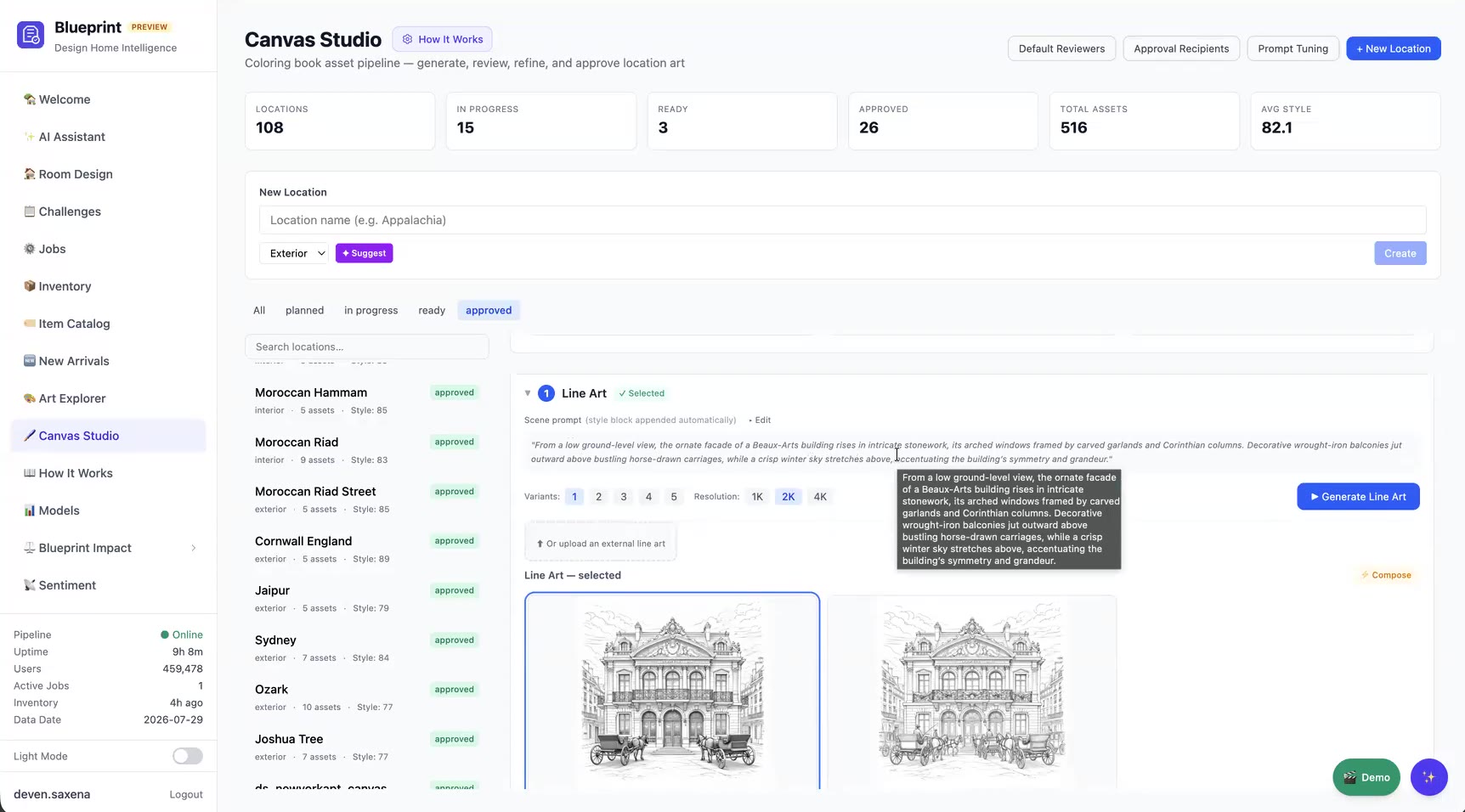
1b · Line art

  • The prompt is written for you from a style block learned from about 80 shipped backgrounds, which keeps every canvas on-brand. You can still edit it.
  • Pick the variant count and resolution (1K / 2K / 4K), then click Generate Line Art.
  • Compare, comment, and click Use this. The selected frame is outlined so it's always clear what's locked.
Line art
Line art generation

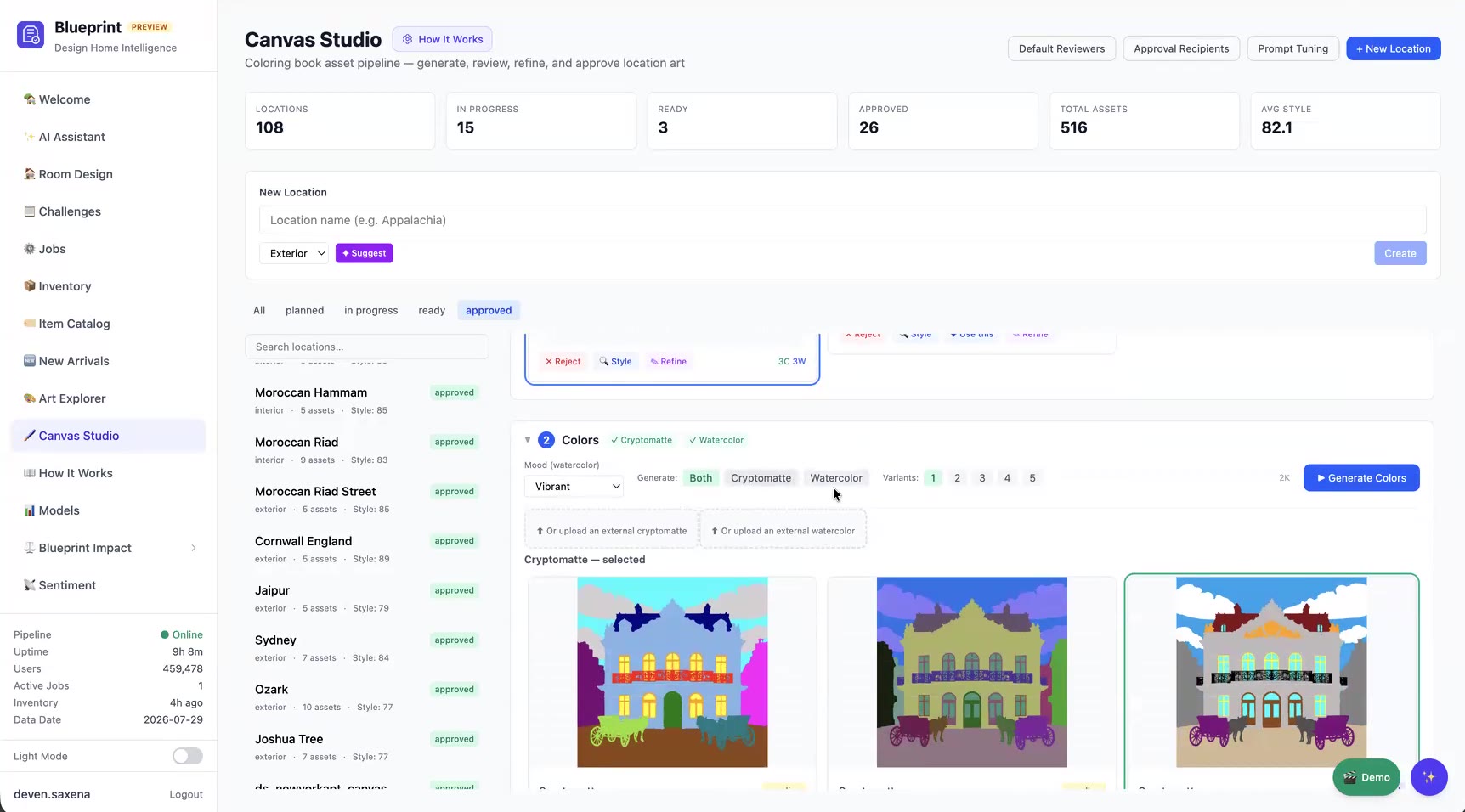
1c · Colors: cryptomatte & watercolor

Cryptomatte
Generate the cryptomatte, the watercolor, or both
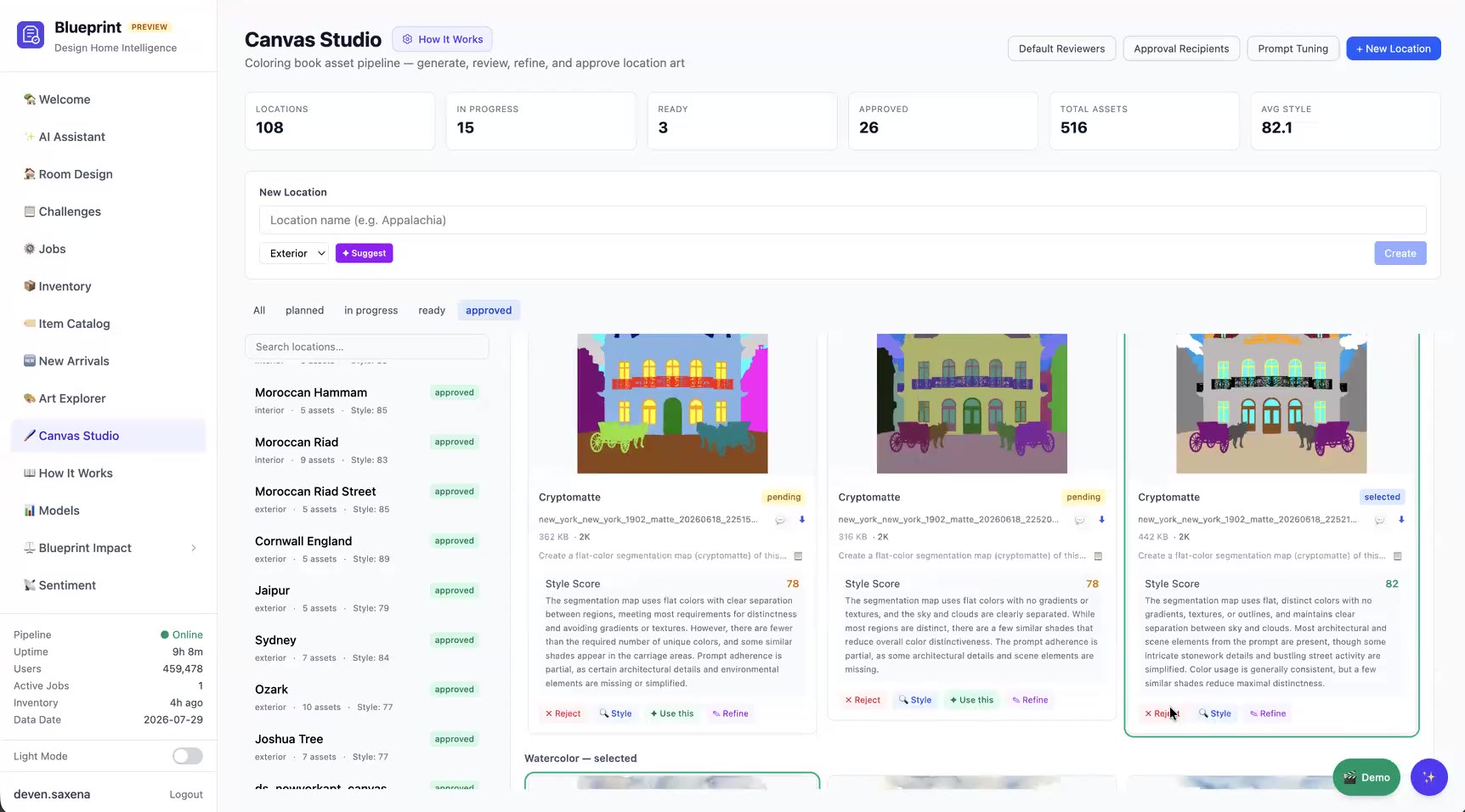
Style scores
Every asset gets an AI Style Score with a written critique

Review & approve

Review set
Mark Ready for Review, which sends a Slack notification to the approver
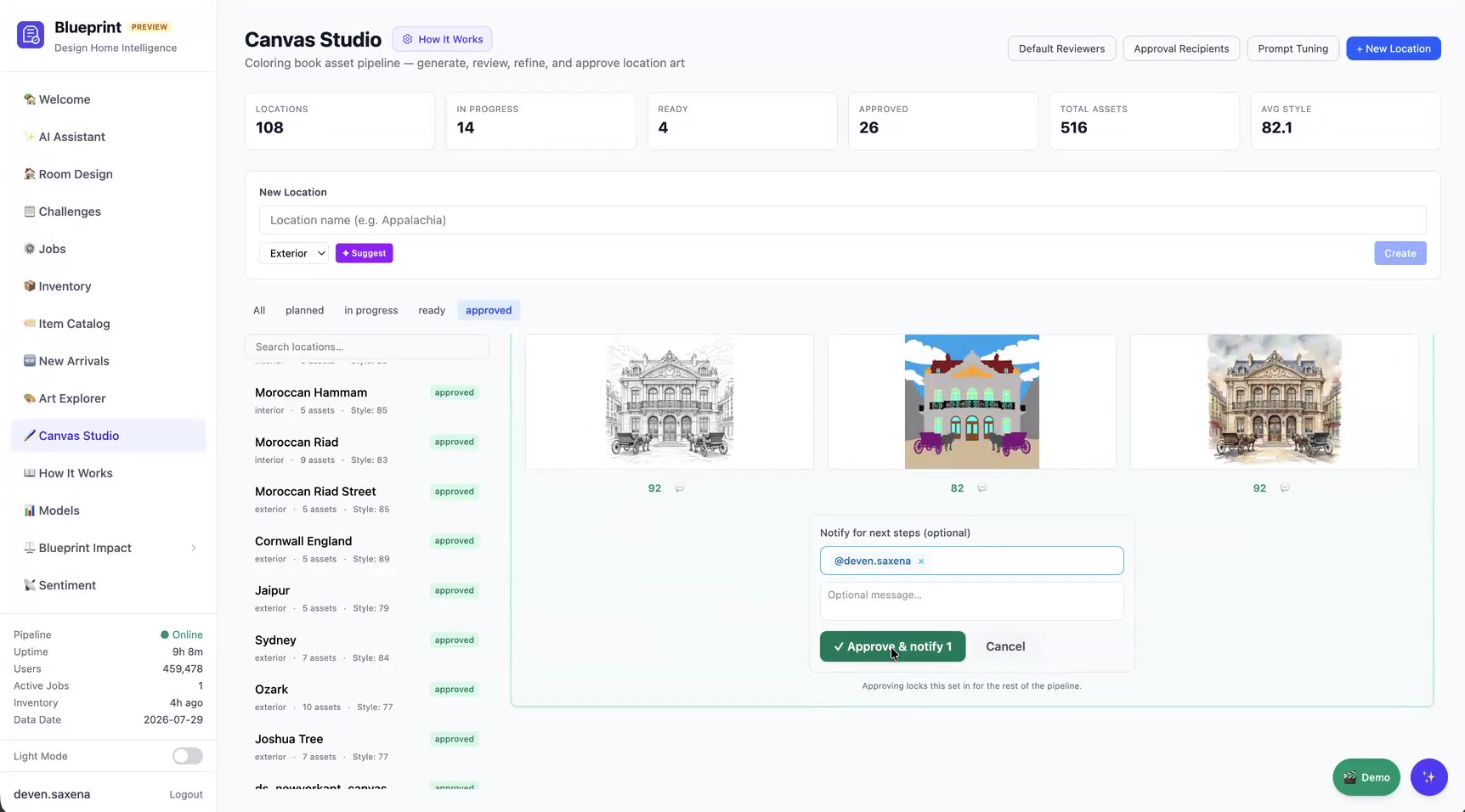
Approve
Approve & notify locks the set and tags the assembly artist

Approval locks the set for the rest of the pipeline. If something has to change later, Reopen sends the images back, and the rebuild replaces the assembly, which prevents half-updated canvases.

Stage 2

Canvas Assembly

This stage replaces most of the old Photoshop work. One click builds a fully named, pre-colored, interactive canvas.

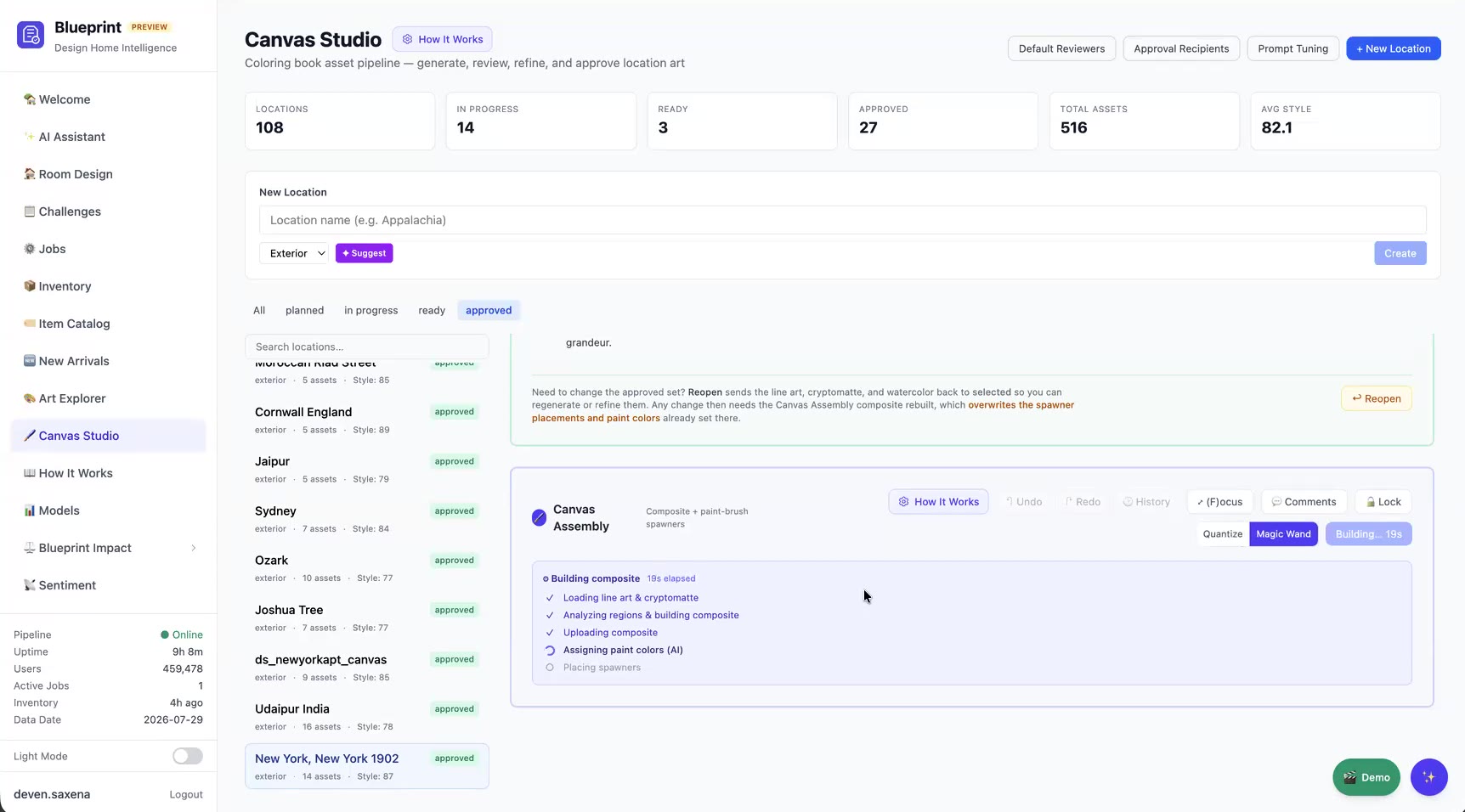
Building composite
Automated build steps
What Rebuild does
  1. Loads the approved line art & cryptomatte
  2. Segments regions with Magic Wand (region-aware) or Quantize (color clustering)
  3. Builds & uploads the game composite
  4. Assigns paint colors with AI: vision models name each region ("Sky", "Stone Facade", "Horse") and pick a fitting color
  5. Places one spawner per region
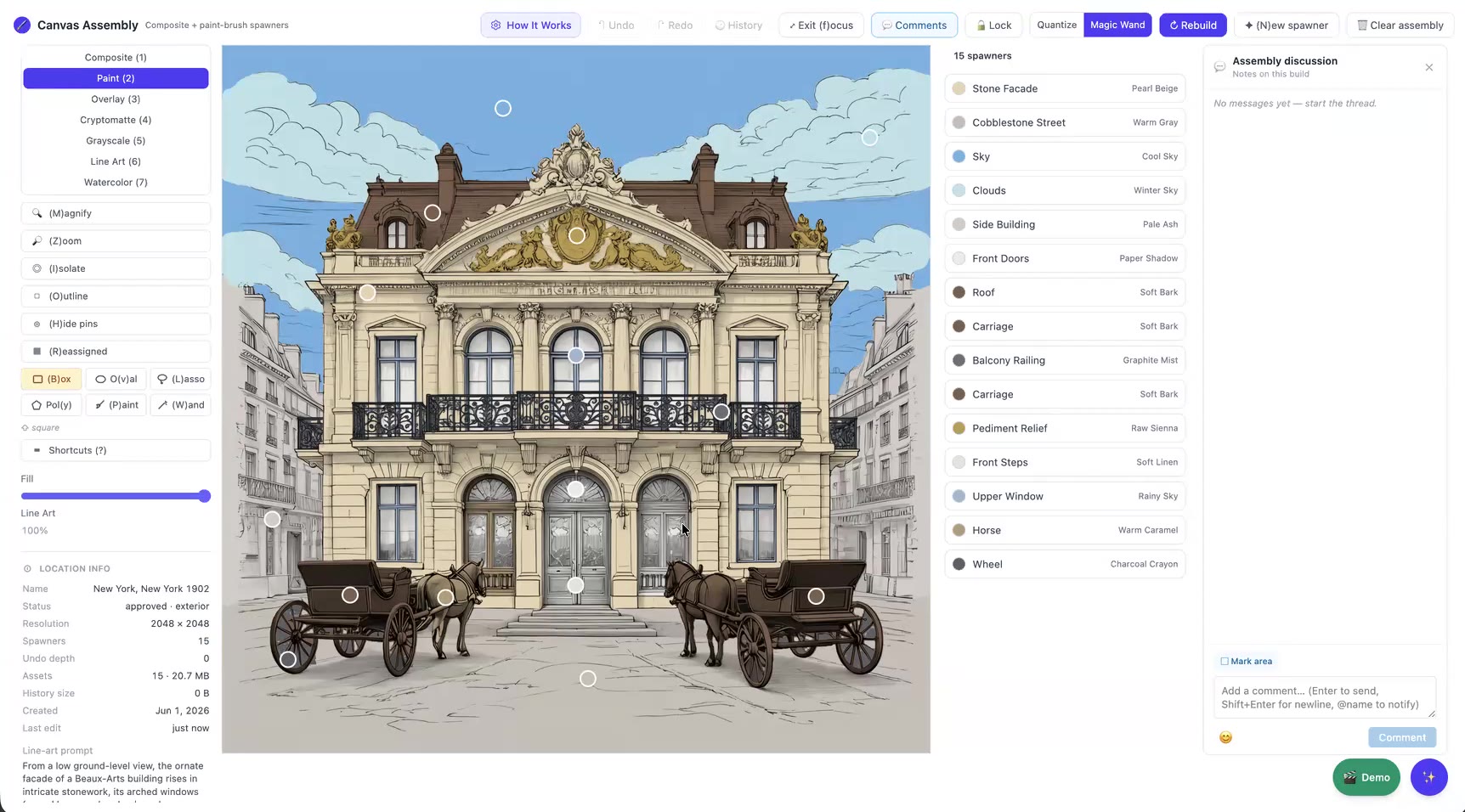
Canvas Assembly
15 spawners, each named and colored by AI and snapped to the nearest paint color in the live CMS catalog

One image to rule them all

Game composite
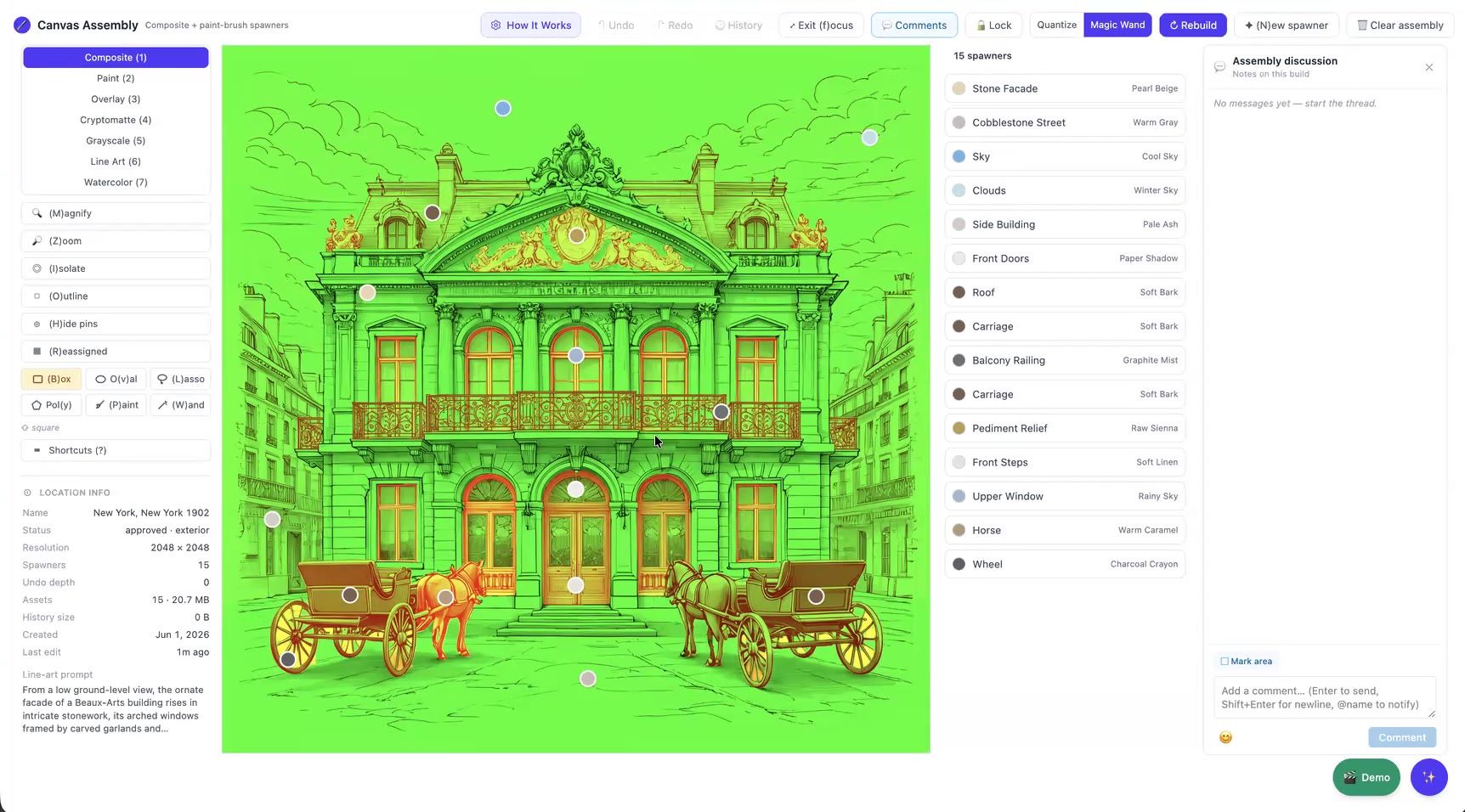
The Composite view is exactly what ships to the game

The game loads one texture and reads everything from its color channels, which keeps download size and memory small:

RedRegion masks: one unique value per region
GreenThe line drawing
BlueUnused

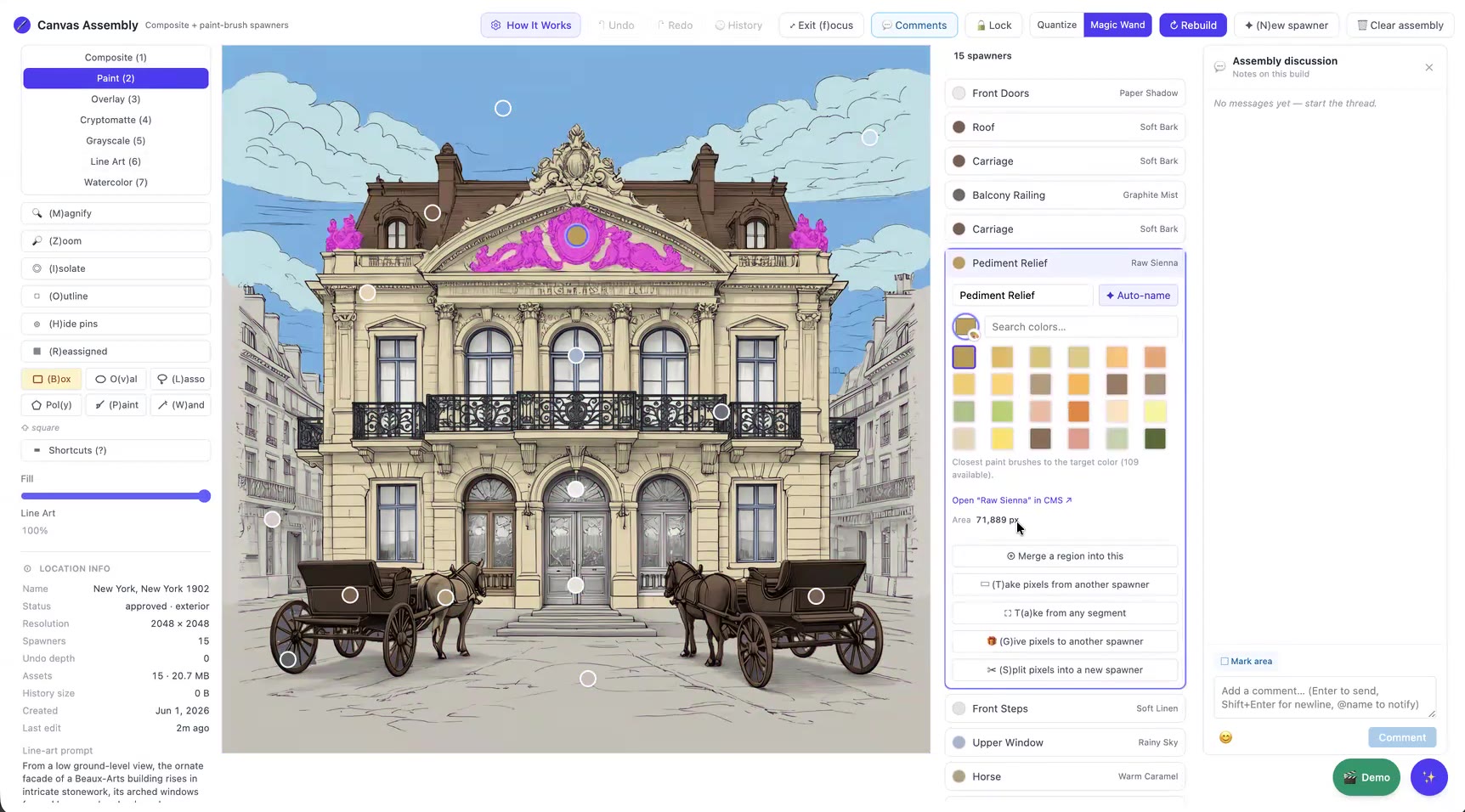
Other views help with checking the work:

PaintOverlayCryptomatteGrayscaleLine ArtWatercolor

Precision tools for the last few percent

Paint palette
Rename, Auto-name, or recolor from about 109 CMS paint brushes
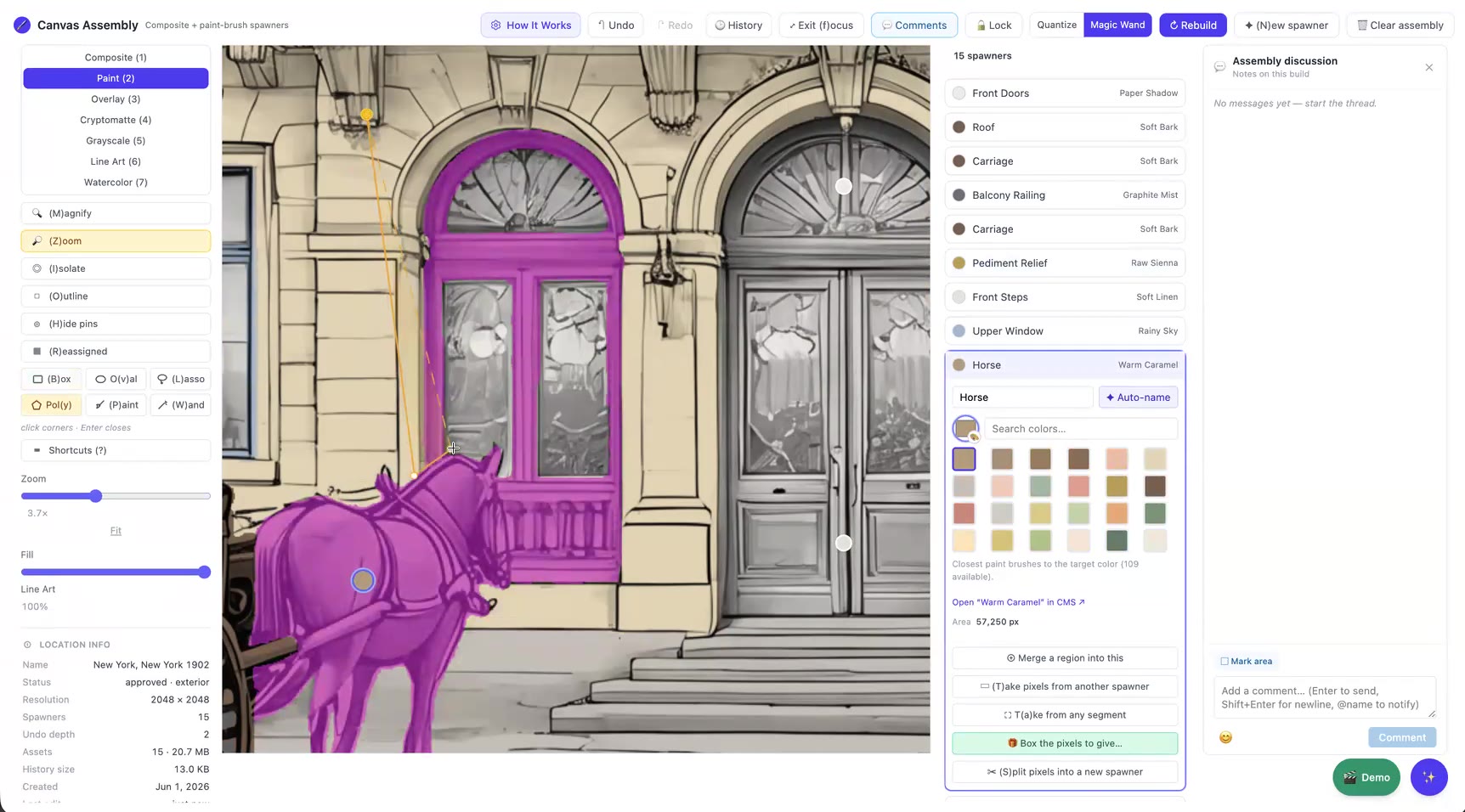
Give pixels
Splitting the horse from the carriage frame with "Give pixels"
Merge regionTake pixelsGive pixelsSplit into new spawner BoxOvalLassoPolygonPaintWand Keyboard shortcutsUndo / HistoryLockArea-pinned comments
With a clean cryptomatte, about 95–99% of spawners are correct as generated. Manual fixes are the exception.
Stage 3

Publish

One click takes the canvas to the game.

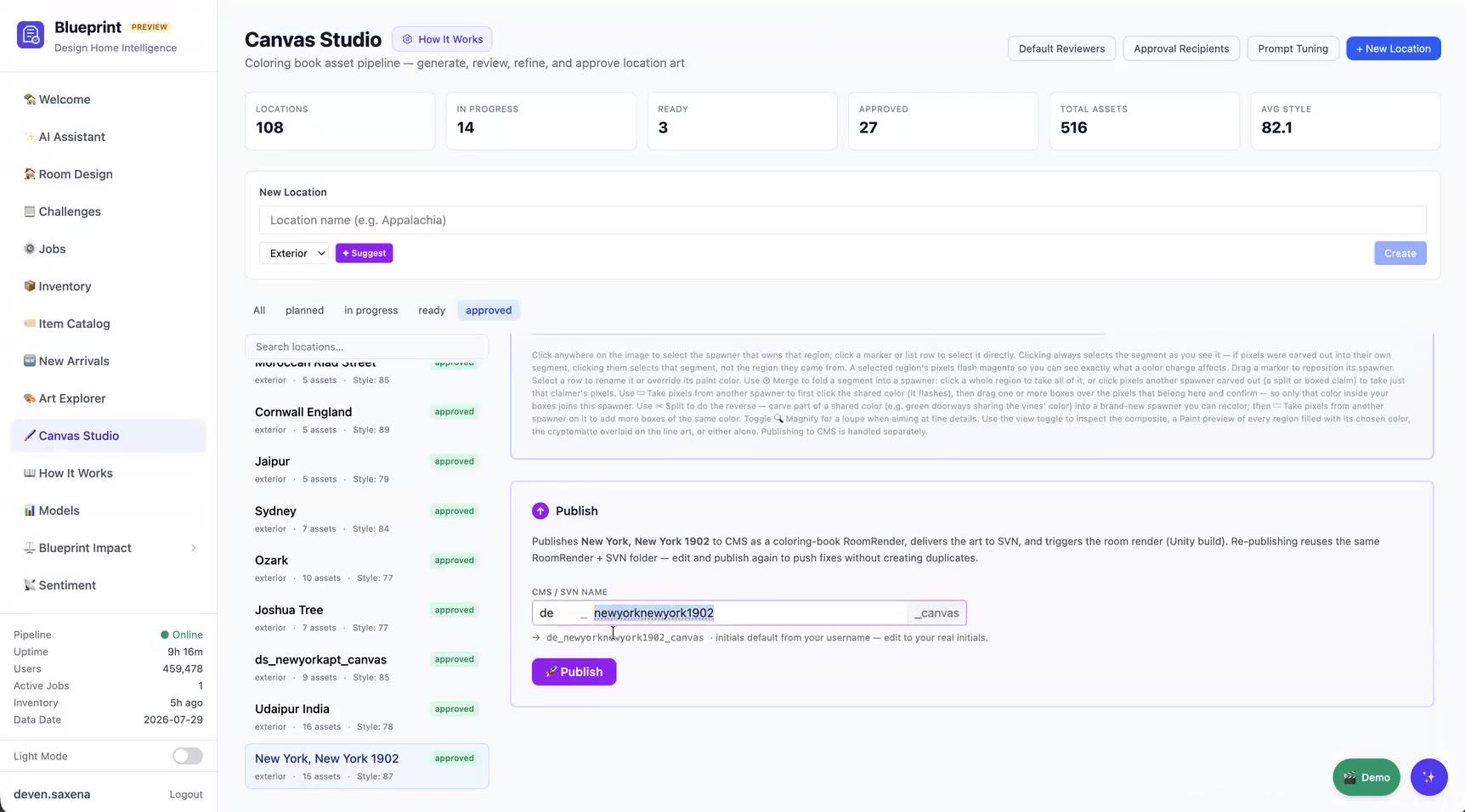
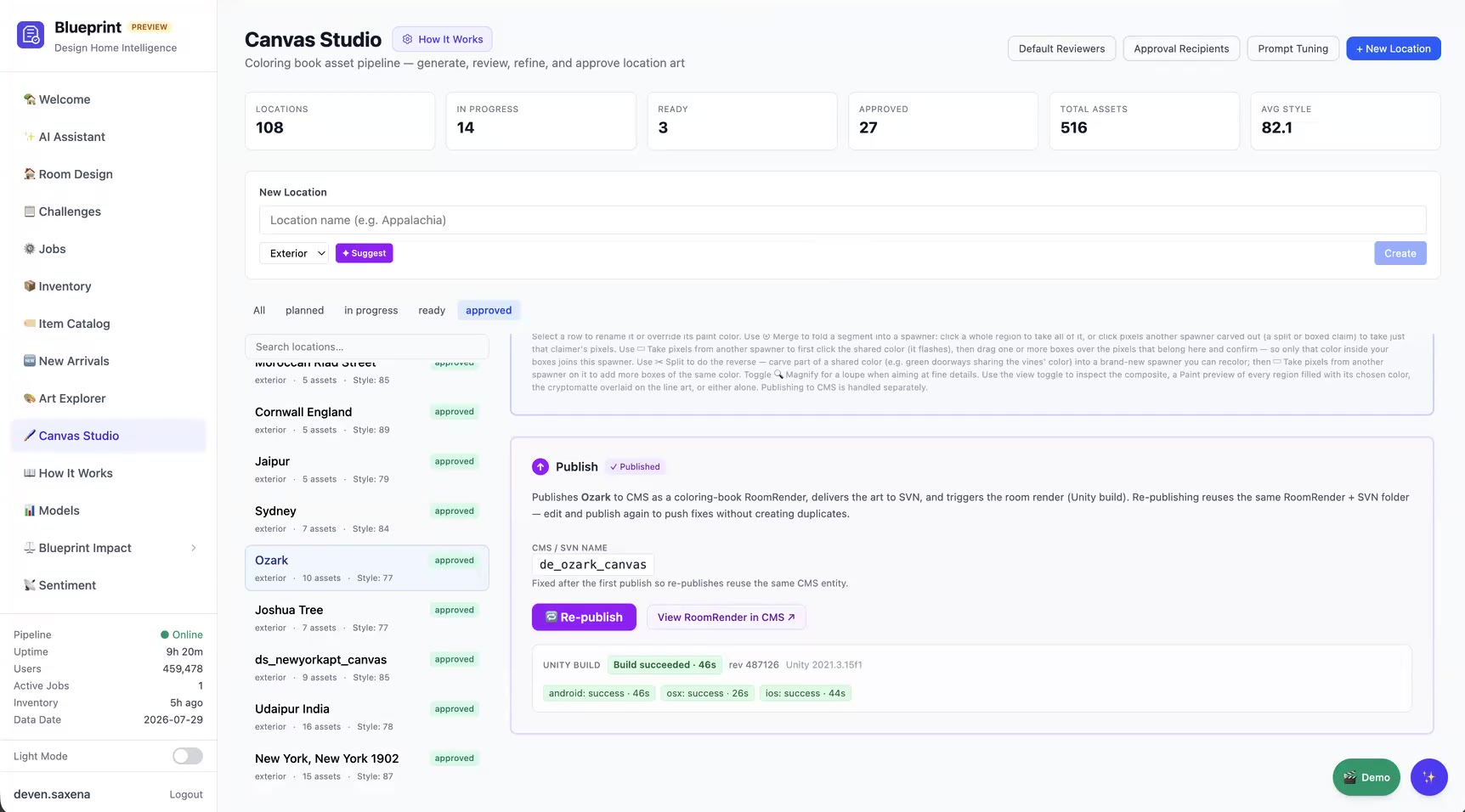
Publish
A unique name is suggested automatically: <initials>_<location>_canvas
What Publish does
  1. Exports the canvas data: the game composite plus each spawner's name, colors, and position
  2. Delivers the art to SVN, the source of truth for game art
  3. Creates the RoomRender in CMS and triggers the Unity build

Republishing reuses the same CMS entry and SVN folder, so fixes ship without duplicates.

Build status
Build status for each platform (Android, iOS, macOS) is reported back in the UI
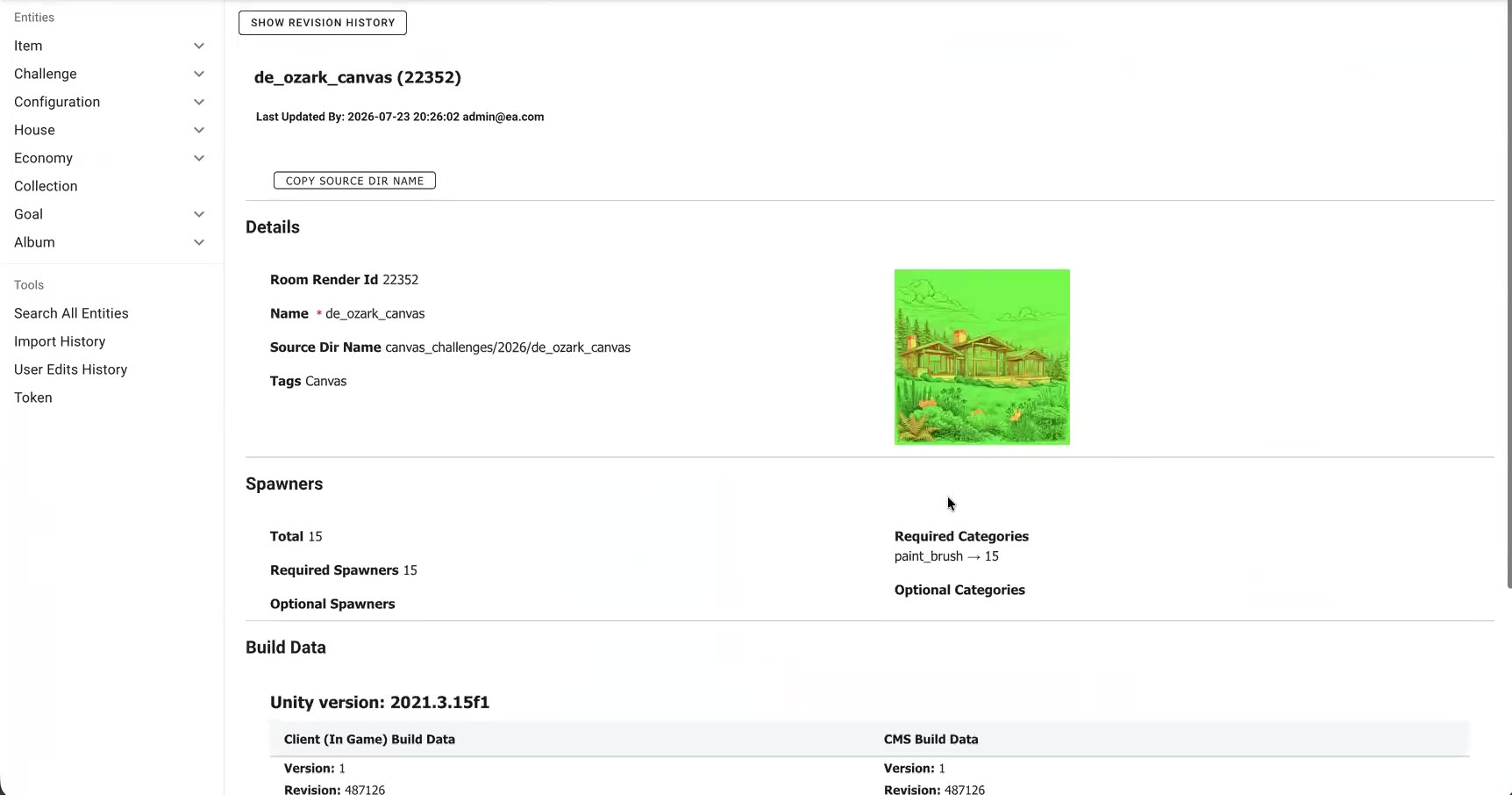
CMS entry
"View RoomRender in CMS" opens the live entry for a final check

How it's done

The building blocks behind Canvas Studio.

LayerWhat powers it
Image generationAdobe Firefly with Design Home–trained custom models (separate interior and exterior models); a line-art style block distilled from about 80 shipped backgrounds
Image understandingVision AI models that segment the cryptomatte, label every region, and score style quality
Color matchingAI-proposed colors snapped to the nearest paint brush in the live CMS color catalog
Game formatA single packed composite (R = region masks, G = line art) plus per-spawner data (region value, palette, icon position), delivered as the same coloring-book RoomRender type the earlier Photoshop pipeline produced
CollaborationThreaded comments with @-mentions and area markers on every asset; Slack notifications for review and approval
DeliveryAutomated SVN import, CMS RoomRender creation, and a Unity asset-bundle build, with status reported in the UI
Trackingplanned → in progress → ready → approved, with dashboard roll-ups of counts, total assets, and average style score

Why it matters

Speed
A single artist can take a canvas from idea to a live build without leaving the browser.
Consistency
Custom models, a learned style block, and AI style scoring keep every canvas on-brand.
Quality control
Approval locks stop late changes from breaking downstream work, and every decision has a comment trail.
A reusable pattern
The same generate → review → assemble → publish framework can apply to other pipelines, such as sourcing imagery.